The CRM your calling floor actually works in.
Agents press one button and get the right lead. Managers see the whole floor. Owners protect every closed deal. And your website drops new leads straight into the queue.
Formerly SlickBot Pro, rebuilt from the ground up.
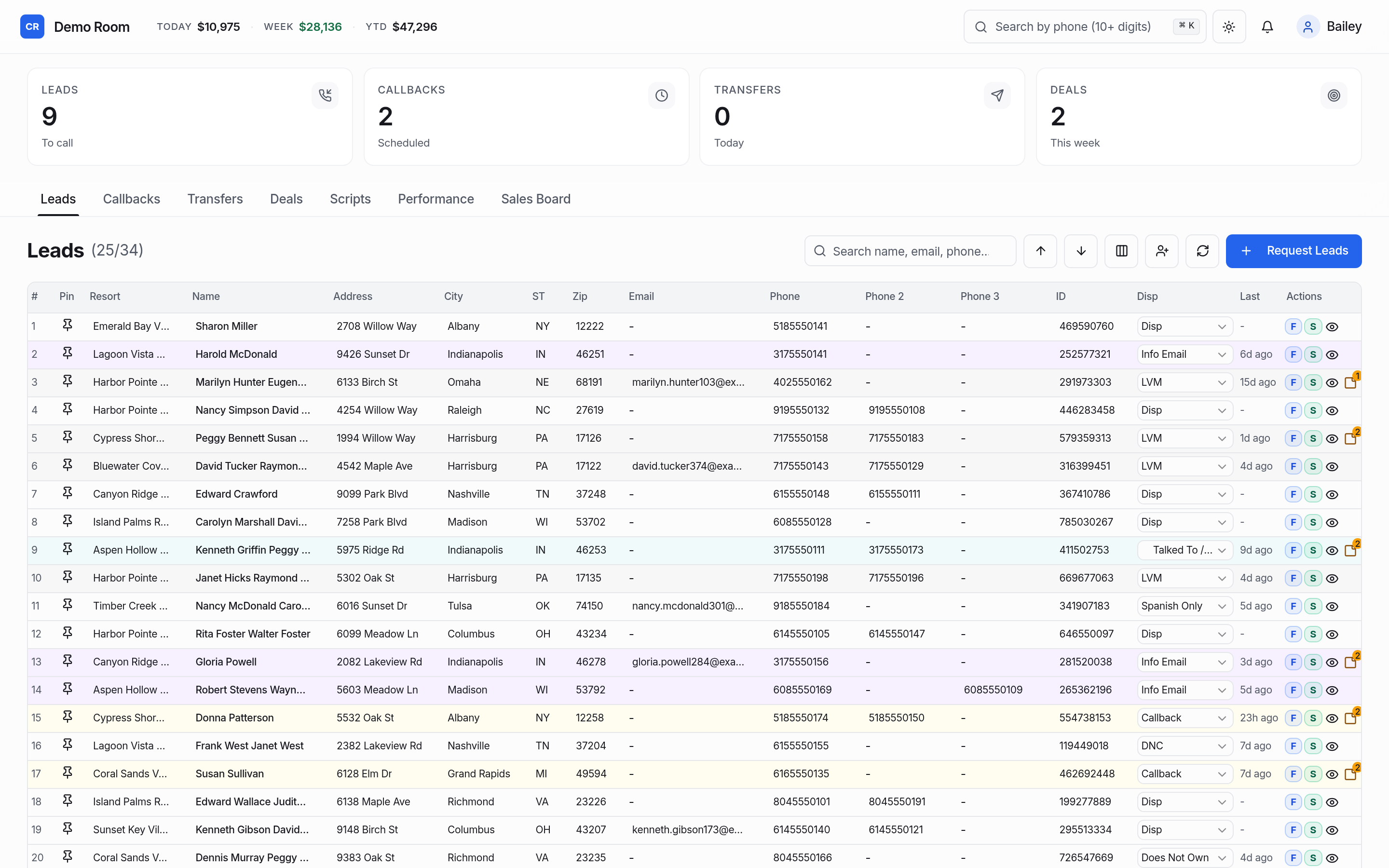
Pick a seat. No sign-up, no email. It's the same software our customers use, with made-up data.
AI is rewriting how your company gets judged.
Most people no longer start with a list of links. They get an answer, written by a machine, from whatever it can find about you. For a call room, that answer often leads with doubt, because that is how people are told to research a company before they pay.
You can't control what an AI says. You can control whether the real facts are easy to find: who you are, where you are, how you work, what you charge, and what real customers say.
CallRoom Pro's Brand Shield builds that foundation into every website we run for you. No promises, no tricks. The best shot an honest company can give itself.
What changed in search, why it's harder on call rooms, and exactly what Brand Shield does and does not do.
See how it works →Nobody can guarantee a ranking or what an AI will say. We handle the part you can control.
Generic CRMs weren't built for a room full of phones.
They're built for account managers with twenty clients, not for a floor making hundreds of calls an hour. So rooms end up with spreadsheets, sticky notes and a lot of trust.
Agents cherry-pick
When everyone picks their own leads, the easy ones get called five times and the rest go cold. Two people call the same customer in the same hour.
Callbacks fall through
"Call me Thursday" lives on a notepad. Thursday comes, the agent is off, and the sale goes to a competitor.
Customer data walks out the door
Anyone can scroll through every closed deal, phone number and payment note, then take them to the next job.
Up and calling in an afternoon.
A setup guide walks your admin through every step, with sensible defaults already filled in. Skip anything and come back later.
Name your room
Your company gets its own address, like yourname.callroompro.com, with your logo and colors.
Bring your leads
Import a spreadsheet or let your new website collect them. Duplicates and do-not-call numbers are handled.
Invite the team
Paste a list of emails, pick roles, done. Everyone sets their own password from a one-time link.
Press Next lead
Agents work the queue, managers watch the board, and every call, callback and sale is recorded.
Everything the floor needs. Nothing it doesn't.
One flat price covers the CRM, unlimited users and your first company website. Extra branded sites are $99/week each (same interval discounts). Nothing else is locked behind "contact sales".
Next-lead queue
One big button. Due callbacks come first, then fresh leads, then the ones nobody has touched longest. Two agents never get the same lead, and nobody gets a lead handed back to them twice.
Call results that do the work
Every result can move the lead to a stage, keep it with the agent, or send it back to the queue. Notes, stages and every call land on one timeline.
Callbacks that don't slip
Schedule a callback in two taps. When it's due it jumps to the front of that agent's queue, with overdue ones flagged in red.
Do-not-call, everywhere
Mark a number once and it's blocked across the whole room: no calls logged, no assignment, no queue. Imports and website forms check the list too.
Spreadsheet import
Drop in a CSV, match the columns, and we skip duplicates by phone or email, flag do-not-call numbers and tell you exactly what happened to every row.
Search and saved views
Find anyone by name, phone, email or company. Save the filters your team uses every day and share them with one click.
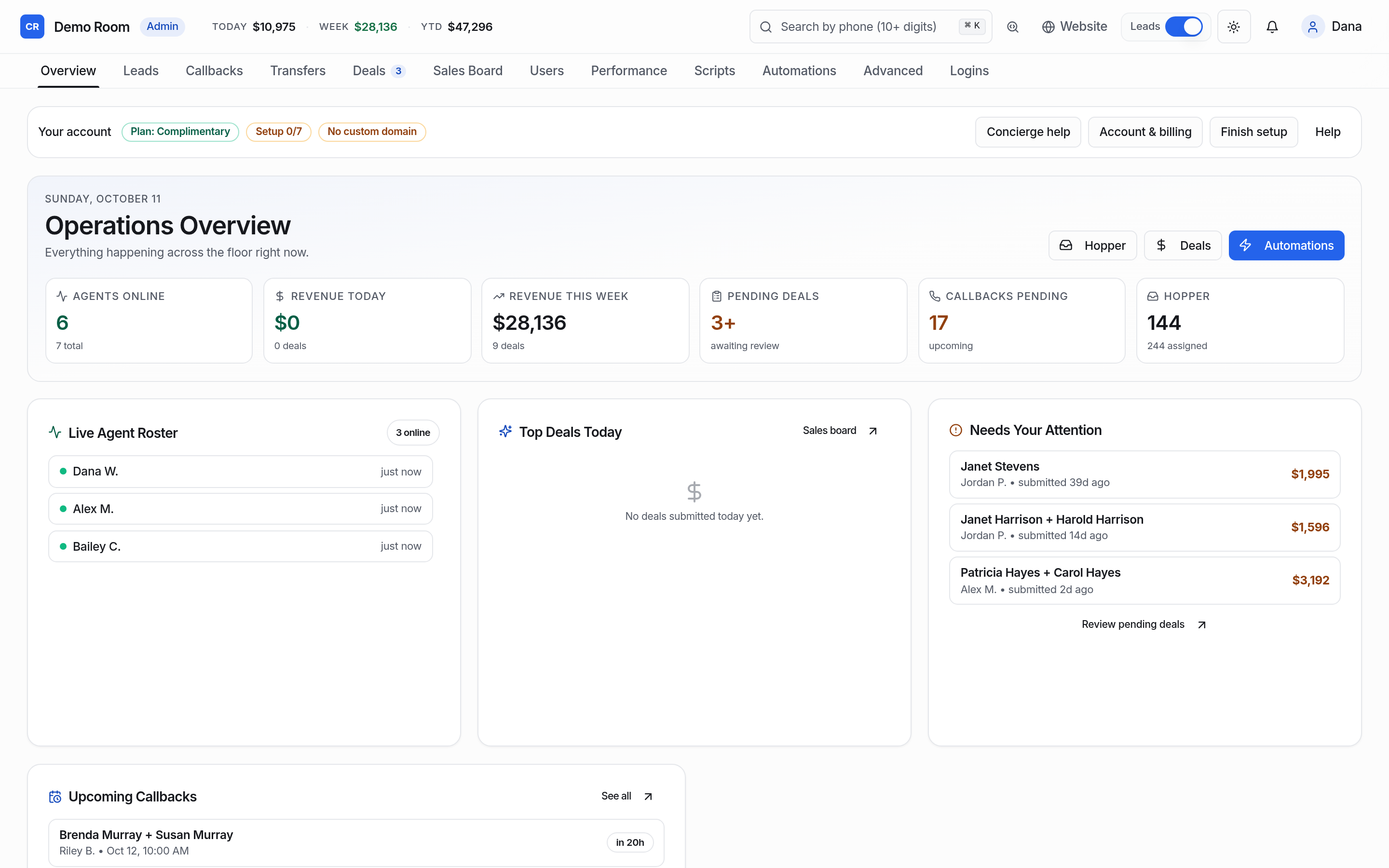
A dashboard managers read
Calls, contacts, sales and callbacks per person for today or this week, plus queue depth and pipeline at a glance.
Deal lockdown
The moment a lead becomes a sale, its customer record is locked to your admin and customer support. Agents and managers keep the credit, not the card details.
Card saving through Authorize.net
Closers enter a customer's card in Authorize.net's own secure window, and it's saved in your Authorize.net account. CallRoom Pro never charges it.
A login for every client
Approve a client and they get their own login and dashboard: their listings, their agreements and a message inbox. Nothing to build, nothing to hand out by hand.
Contracts that track themselves
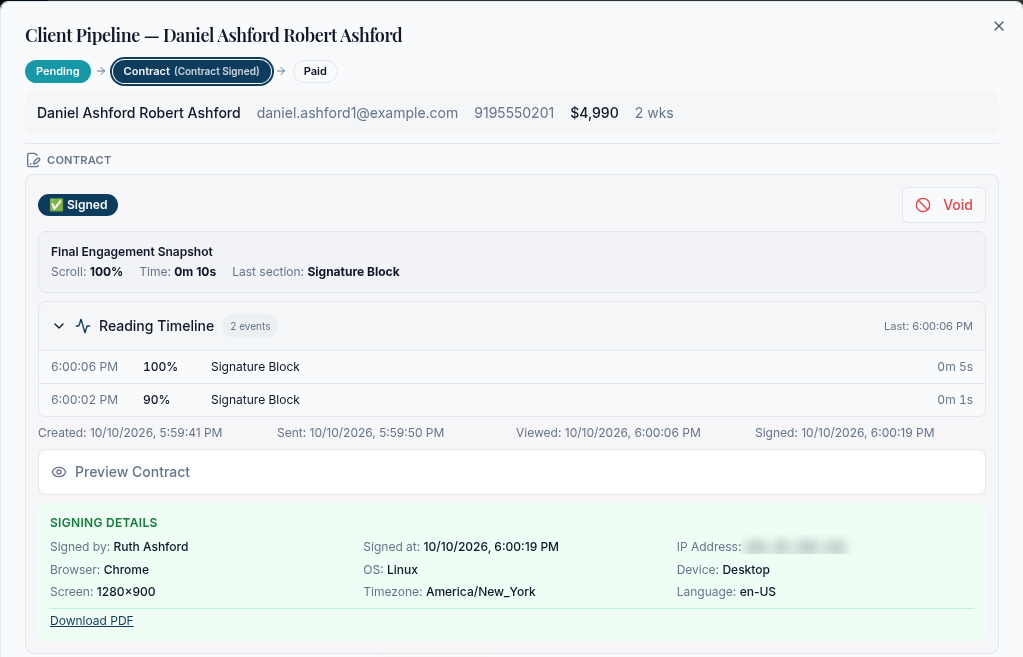
A contract is drafted for you when you verify a client. Send it, watch it get opened and read, and see when, how and from what device it was signed.
Websites that fill the queue
Build a fast, mobile-first site in minutes. Every form fill becomes a fresh lead in your queue, checked against duplicates and do-not-call.
Roles that make sense
Room admin, manager, agent and customer support each see exactly what they need. Permissions are checked on the server and inside the database.
Audit log and sign-in history
Who changed what, who opened which deal, who signed in from where. Nothing important happens quietly.
Your data, any time
Export everything in one click: leads, deals, notes, callbacks, website form fills, settings and the audit log, as spreadsheets and JSON.
One button. The right lead. Every time.
No hunting, no cherry-picking, no double-dialing. The queue decides, fairly, and agents spend their time talking.
- Callbacks come first, at the time the customer asked for.
- Fresh leads next, then whoever has waited longest since their last call.
- Never the same lead twice for the same agent, and never two agents on one lead.
- Tap to call, tap the result, add a note, and Save & next lead.
- Close a sale with a deal sheet, then the record locks and the credit is yours.
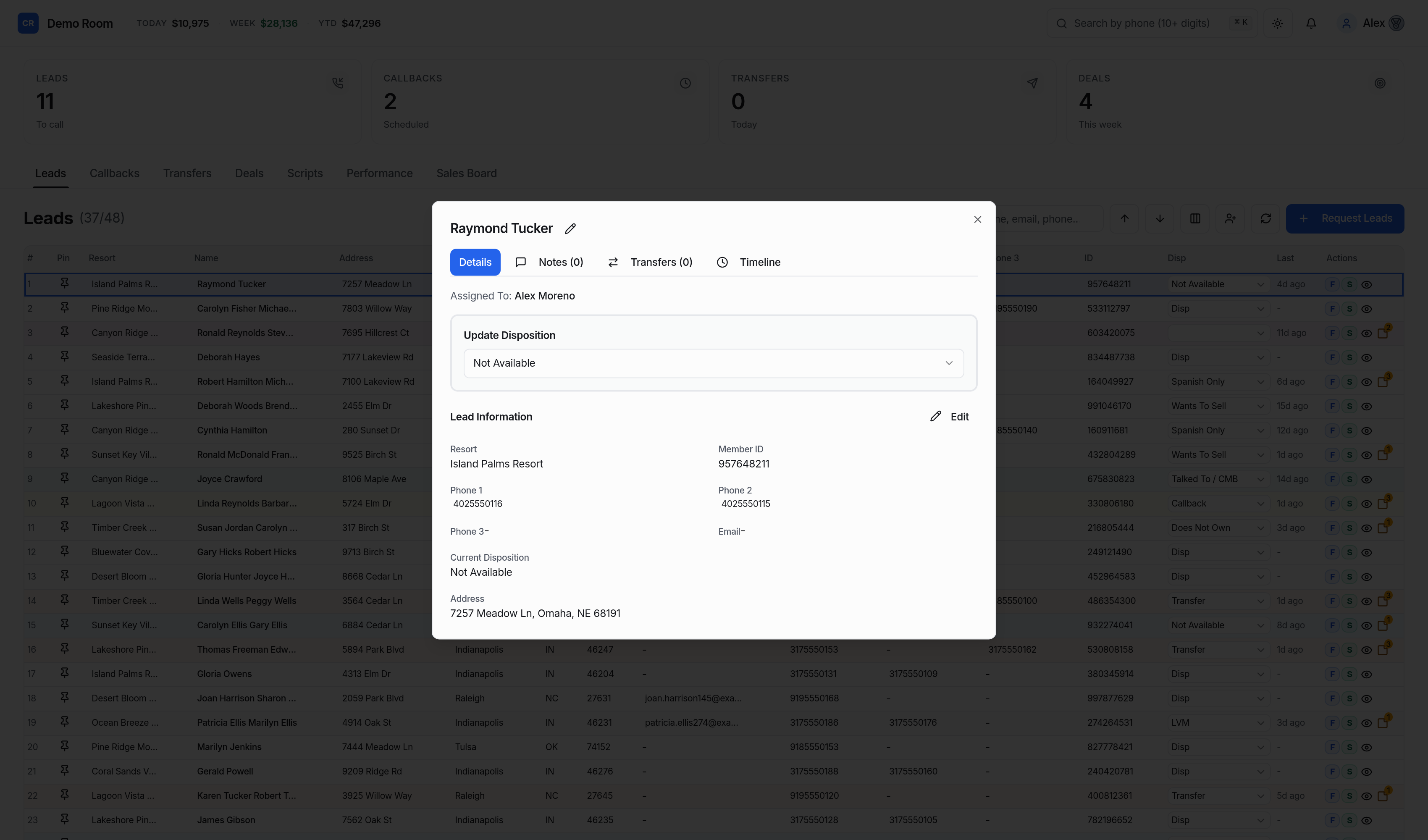
Everyone sees what they need, and only that.
Permissions are enforced on the server and again inside the database, not just hidden in the menu.
Runs the room
- Team, roles and invites
- Pipeline and call results
- Company websites
- Full deal records
- Privacy settings, exports, billing
Runs the floor
- Team dashboard and leaderboard
- Assign and reassign leads
- All open leads and callbacks
- Contact details masked by default
- Deal credits, not deal details
Works the queue
- Next lead, call results, notes
- Their own callbacks
- Full contact details only on their leads
- Their own numbers and closed deals
Looks after buyers
- Full customer and deal records
- Deal sheets and notes
- Callbacks for follow-ups
- No queue, team or settings access
What a day looks like with CallRoom Pro.
- The admin imports this week's list.
812 rows in, 37 duplicates skipped, 4 do-not-call numbers flagged before anyone dials.
- Agents press Next lead.
Overnight website leads and yesterday's callbacks are at the front. Nobody argues about who gets what.
- "Call me after lunch."
Two taps schedules a callback for 1:30. At 1:30 it's the agent's very next lead.
- A sale closes.
The agent fills in the deal sheet. The record locks: only the admin and customer support can open it, and the agent's leaderboard ticks up.
- The manager checks the board.
Calls, contacts, sales and callbacks per person, plus how much is left in the queue for tomorrow.
Your own branded site for listings, owner contracts and inquiries.
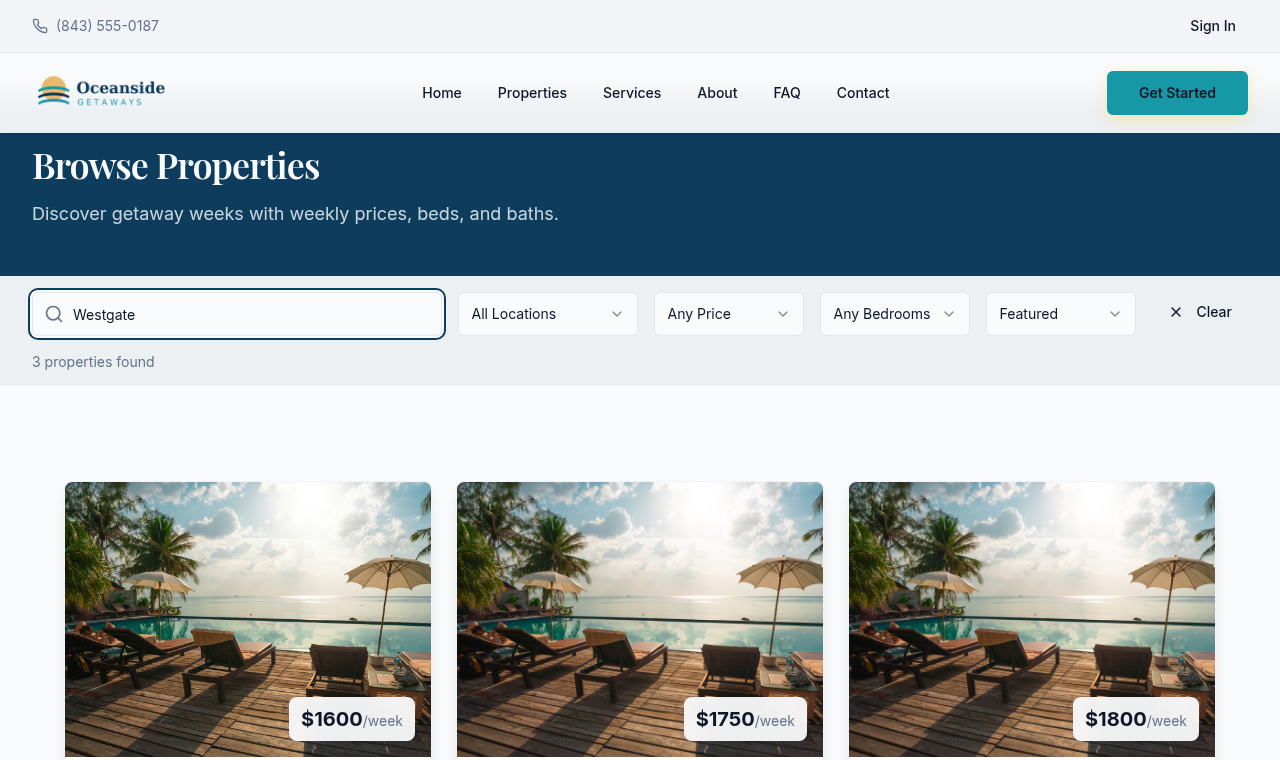
Every room gets a full company website on its own domain: listings of getaway weeks, owner contracts with e-sign, an owner portal, and inquiry forms that land in the CRM. Extra companies under the same room are $99/week each.
- Themes, colors and fonts you control from Website → Settings, with layouts that match a luxury getaway brand.
- Bring your own domain (and email from hello@yourdomain once DNS is verified).
- Owner contracts and e-sign built in — no third-party signing vendor.
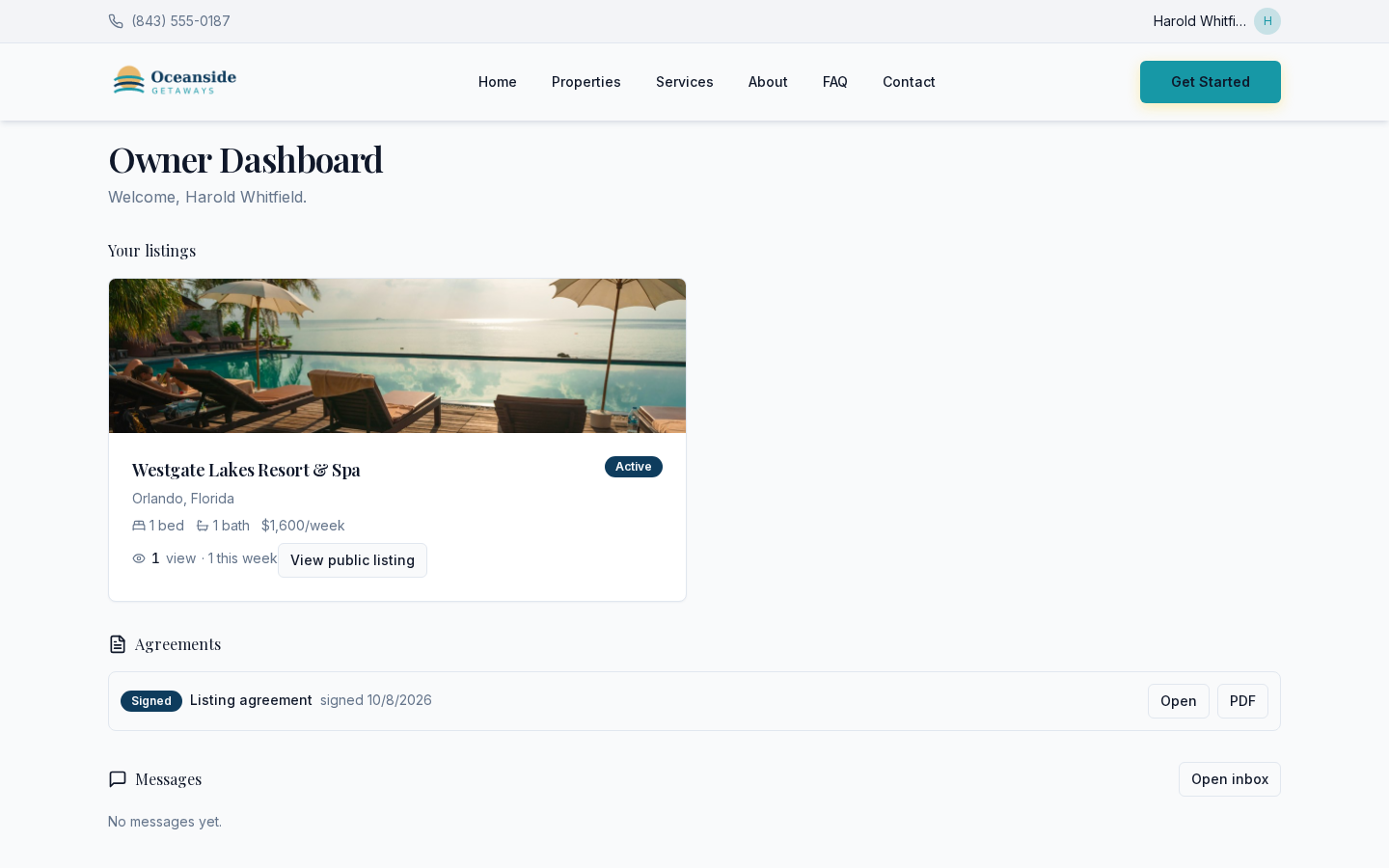
- Owner portal for clients to see their listings, messages and signed agreements.
- Forms that respect the rules: consent wording saved with each submission, spam filtering, duplicate matching and do-not-call checks.
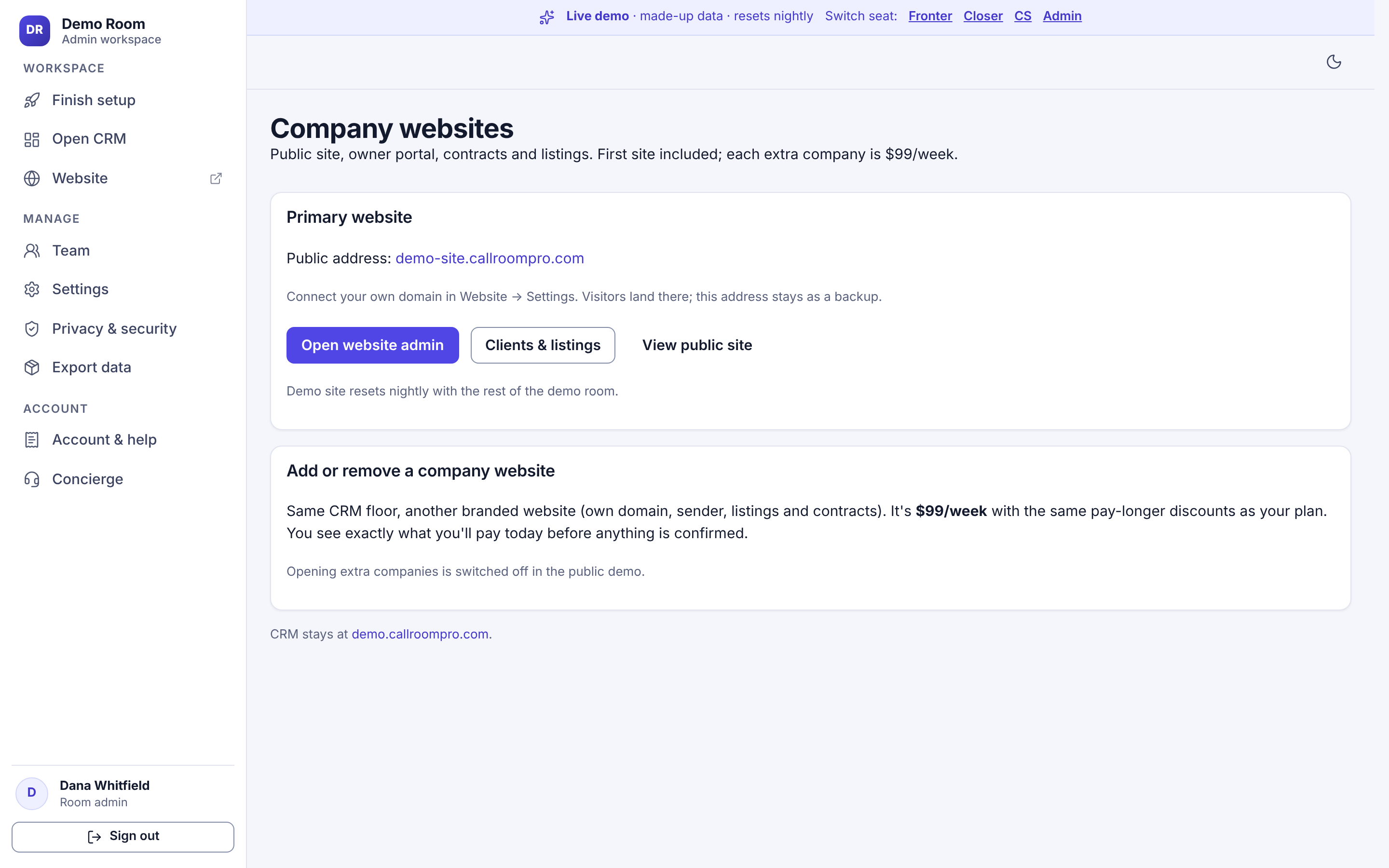
Every client gets their own login and dashboard.
Approve a client in the CRM and their account is created on your website. They sign in and see only their own information, under your brand.
- Their listings, with status, weekly price and how many people have viewed each one.
- Their agreements, with a button to open or download the signed PDF.
- A message inbox to reach your team, so questions stop landing in your agents' texts.
- One account per client. No spreadsheet of passwords, no third-party portal to pay for.
Verify, send, sign, track. From one screen.
While your team verifies a client, the contract is already drafted with their details filled in. Send it by email in one click, then watch what happens.
Drafted during verification
Mark a client verified and their contract is ready to review and send. Edit it, preview it, or void and resend it any time.
Live reading timeline
See when it was sent, when the client opened it, how far down they scrolled, how long they read and which section they reached.
Signed in the browser
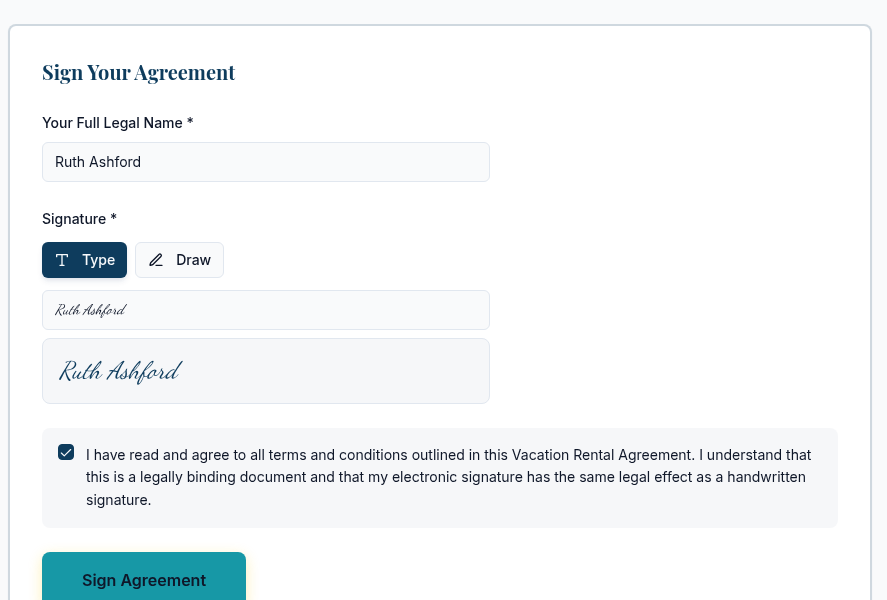
The client types or draws their signature on any phone or computer. No account, no app, no per-envelope fee. You get a signed PDF.
What gets recorded when someone signs
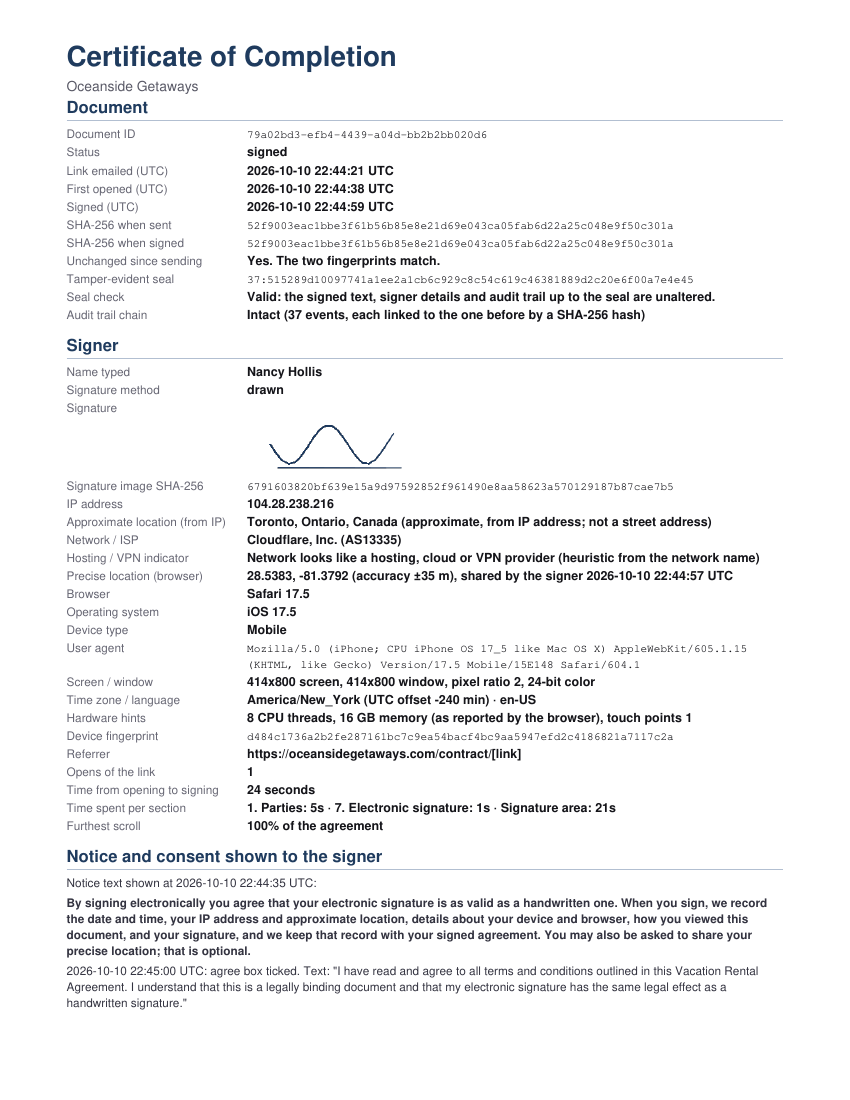
- Timestamps from our server clock (UTC) for when the link was sent, opened, and every step through signing.
- IP address and approximate location from the IP: city, region, country and internet provider, with a flag when the connection looks like a hosting or VPN network. Approximate only, never a street address.
- Optional precise location. With your signing notice turned on, the signer can tap “Share my precise location.” Their browser asks permission, and they can say no and still sign.
- Device and browser: browser and operating system with versions, device type, screen and window size, pixel ratio, time zone, languages, hardware hints and a device fingerprint.
- How they read and signed: time spent on each section, scroll depth, every field they edit, when they tick the agree box, the signature image, the typed name and the stroke timing of a drawn signature.
- A tamper-evident record: a SHA-256 fingerprint of the exact contract when it was sent and when it was signed, a hash-linked audit trail with a seal, and a Certificate of Completion added to the signed PDF.

One click to build a chargeback evidence packet
On any signed contract, press one button and download a ZIP for your merchant: the signed agreement with its certificate, the full audit trail, the email log for the signing link, the card brand and last four digits, the call and notes timeline and the paid record. It helps you answer a dispute. It does not guarantee the outcome of one.
Location from an IP address is approximate and can be wrong, especially on mobile networks and VPNs. You write your own contracts, and you decide what your signing page tells signers about what is recorded. Your signing notice is on by default for new rooms and you can edit the wording in Website settings. You are responsible for your contract wording, your disclosures and for following the laws that apply to you. CallRoom Pro is software, not a law firm, and does not provide legal advice.
Their listing can be live before they hang up.
Record the payment, approve the client, add the listing. The moment you press Save, it's on your public website. In our test it showed up in under a second.
- One screen for the client. Pick the client and the resort, add the price, and save.
- Pick the resort and its photos from the ones you've already loaded.
- Publish when you decide. If you want a listing up before payment is recorded, add the client yourself and publish it. Your call, your policy.
Your team does the clicks: payment, approval and the listing are steps your staff take, so total time depends on how fast they work. Measured on a test company, from pressing Save to appearing on the public site: under a second.
Built for data you can't afford to leak.
Your customers' details are the most valuable thing in the room. CallRoom Pro treats them that way by default. Read how →
Your own room
Every company's data is fenced off inside the database itself, with its own address and its own sign-ins.
Masked by default
Agents see full contact details only on leads they're working. Managers see masked numbers unless you choose otherwise.
Sessions you control
Pick idle and maximum sign-in times, review sign-in history, and sign everyone out with one button.
Card saving works through your own Authorize.net account.
CallRoom Pro is software, not a payment system. It supports Authorize.net only: connect your own Authorize.net account, or a merchant account that processes through Authorize.net (for example Maverick, and other gateways and ISOs that run on Authorize.net). Those names are examples of how accounts are set up, not endorsements.
Entered in Authorize.net's window
The card goes straight into Authorize.net's secure card window and is saved in your Authorize.net account. We never see the full number or security code.
We keep four details
Card brand, last 4 digits, expiry and Authorize.net's reference. Your team runs any payment in your own Authorize.net account.
Deleted when you're done
Saved cards are removed from Authorize.net automatically once a client is marked Paid. If a card is never marked Paid, it is removed after the number of days you set (14 by default, 1 to 30).
One plan. Everything included.
$500 a week, or less when you pay for longer: as low as $375 a week on annual. Free for the first 7 days. No contracts. Payments are non-refundable.
Questions rooms ask us.
Is the demo the real product?
Yes. The demo room runs exactly the same code as every customer's room, updated with every release. It's filled with made-up people and 555 phone numbers, and it resets every night, so click anything you like.
Does CallRoom Pro dial for us?
Agents call from whatever phone or dialer you already use; tapping a number on a phone starts the call. CallRoom Pro decides who to call next, records what happened and keeps everyone honest.
How is our data kept separate from other companies?
Each company gets its own room at its own web address. Every row of your data is tagged to your room and the database itself refuses to show it to anyone else, even if application code had a bug.
Who can see a closed deal?
Only your room admin and anyone you give the customer support role. Agents and managers see a masked stub (an initial, "Closed", and who gets the credit) so their numbers still add up. Every time a deal record is opened, it's logged.
Which payment accounts work for saving cards?
Authorize.net, and only Authorize.net. Card saving works through your own Authorize.net account, or through a merchant account that processes through Authorize.net (for example Maverick, and other gateways and ISOs that run on Authorize.net). You use the API credentials Authorize.net gives you. CallRoom Pro never charges cards and isn't a payment system. Names are examples of how accounts can be set up, not endorsements.
Can we bring our existing leads?
Yes. Import a CSV from any CRM or spreadsheet. You pick which column is which, and duplicates and do-not-call numbers are handled for you.
Do our clients really get their own login?
Yes. When you approve a client, CallRoom Pro creates their account and they sign in to their own dashboard on your website. They see their listings and how many people viewed them, their signed agreements (open or download the PDF) and a message inbox to reach you.
How fast does a client's listing go live?
The moment you press Save on a listing, it's on your public website. In our test it appeared in under a second. Getting there takes a few clicks: record the payment, approve the client, add the listing. You can do all of it while they're still on the phone.
What does CallRoom Pro record when a client signs?
Everything is stored in a private audit record that only your team can see: server UTC times for each step, the signer's IP address and the approximate location it points to (city, region, country and internet provider, with a flag when the connection looks like a hosting or VPN network), their browser and operating system with versions, device type, screen and window size, time zone and languages, how long they spent on each part of the contract, how far they scrolled, each field they edited, when they ticked the agree box, and their signature. If your signing notice is on, the signer can also choose to share a precise location from their browser; they can decline and still sign. Location from an IP address is approximate, not a street address. You decide what your contracts and your signing notice say; see the note under the contract section.
Is there a contract?
No. Pay weekly, monthly, quarterly, every 26 weeks or yearly, and cancel any time. Longer intervals simply cost less per week (up to 25% off), and you can change your plan yourself whenever you like. Every plan starts with a free 7-day trial, and because you can try it free first, payments are non-refundable. You sign one simple agreement before your room opens.
What happens if a payment fails?
You get 72 hours to sort it out, with a clear countdown for everyone in the room. If it isn't paid by then the room is locked until it is. Nothing is deleted, and access comes back the moment payment goes through.
Can we take our data with us?
Always. Room admins can export everything as spreadsheets and JSON at any time, including while canceling.
See it with your own eyes.
Sit in any seat of a real room with made-up data. Press Next lead, close a sale, build a website. It resets every night.